For Mac · Private beta
What to say,
while you’re saying it.
Sotto listens to your meeting or interview, on your Mac, and suggests your next answer in a small overlay on your screen.
Answers come from AI. Make sure recording is allowed where you are.
10 free credits every day · no card · macOS 26 or later
How it works
Three steps, no fuss.
- 01It listens
Both sides of the call, transcribed on your Mac.
Apple's speech engine does the transcribing, on the Mac itself. The audio never leaves it.
- 02You press⌃↩
Ask for an answer when you want one.
Sotto sends the recent transcript and your resume, and streams back what to say: talking points, a script, or detail.
- 03You keep talking⌘\
The answer waits in a small overlay.
The overlay floats above everything, stays out of screen shares as far as macOS allows, and hides with one key.
Your way
Three ways to answer.
Talking points to glance at mid-sentence, a script to follow, or the detail behind it. Pick a format and every answer streams that way.
We made every ledger write idempotent by design: each request carried a client-generated idempotency key, stored with the result in the same transaction.
- On retry, we returned the stored result instead of writing again
- Keys lived 24 hours in a unique-indexed Postgres table
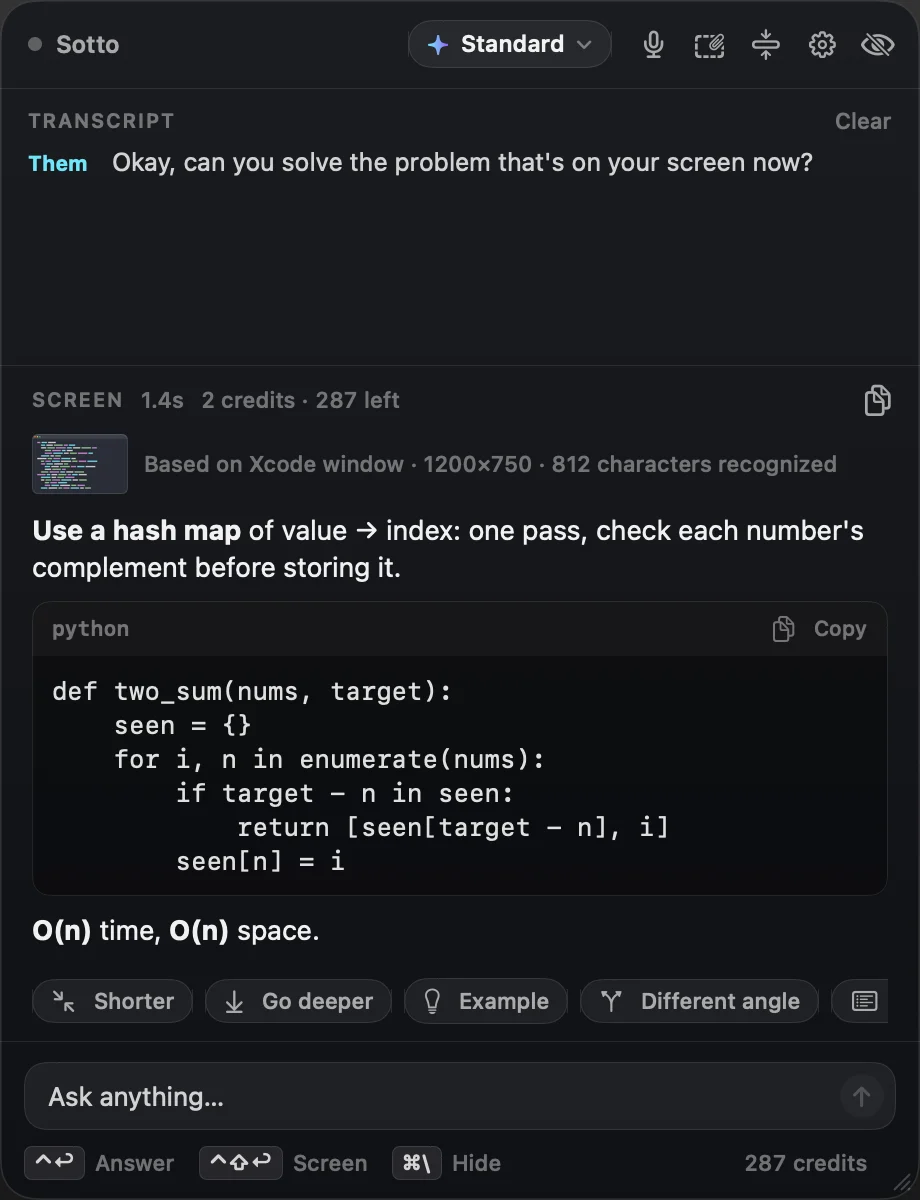
Screen analysis
Reads your screen, when you ask.
Press ⌃⇧↩ and Sotto sends one screenshot: a coding problem, a diagram, a document.
Follow-ups
One click to reshape it.
Shorter, go deeper, an example, a different angle, or a recap of the call so far. Each follow-up costs the same as an answer.
We made every ledger write idempotent by design: each request carried a client-generated idempotency key, stored with the result in the same transaction.
- On retry, we returned the stored result instead of writing again
- Keys lived 24 hours in a unique-indexed Postgres table
Press a follow-up to see the example answer reshape. Press it again to go back.
Tailored to you
Your experience, never invented.
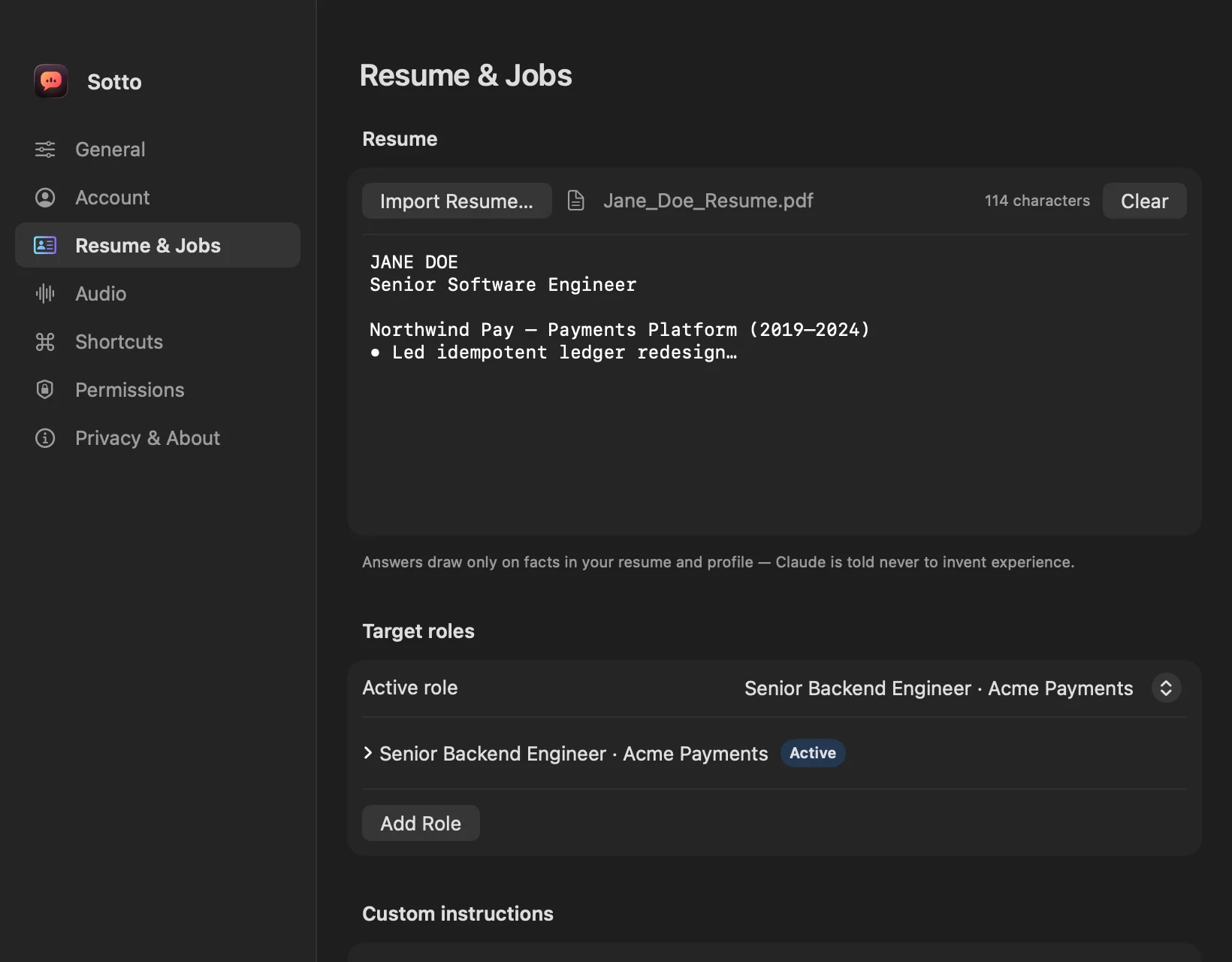
Import your resume and the role you’re preparing for. Answers use your real experience and never invent it.
Tiers
Fast, Standard, or Smart.
Fast
For speed.
- An answer
- 1 credit
- Screen analysis
- 2 credits
Standard
For most calls.
- An answer
- 1 credit
- Screen analysis
- 2 credits
Smart
needs a credit packFor hard technical questions.
- An answer
- 3 credits
- Screen analysis
- 5 credits
Privacy
Nothing is kept.
Transcripts and answers live in memory and disappear when you quit. Sotto’s servers store neither.
- Stays here
Your Mac
The call’s audio is transcribed on your Mac. The audio never leaves it.
- Store neither
Sotto’s servers
They receive the recent transcript and your profile, plus one screenshot for screen analysis, and pass the request on.
- Writes the answer
Claude
Anthropic’s Claude writes the answer, which streams back to your overlay through Sotto’s servers.
Use it openly
Built for calls where AI help is allowed.
Sotto is built for meetings and interviews where AI assistance is allowed: as a preparation and live-notes copilot. It shows an AI notice at the start of every session, and it will never claim to be undetectable.
Recording laws and employer or exam rules are yours to respect.
Watch it work
The whole flow, start to finish.
The full walkthrough video goes here (public/video/walkthrough.mp4).
Free
10 credits
every day, on Fast and Standard. No card.
Credit packs
from $20
300 credits, lasting 12 months. Unlocks Smart.
Questions
Good to know.
Which Macs does Sotto run on?
Is there a Windows version?
Can I download it today?
Does the audio leave my Mac?
What do Sotto’s servers keep?
How do credits work?
Can I get a refund?
Say the right thing, quietly.
Private beta · macOS 26 or later. We’ll email you the app.
Answers come from AI. Make sure recording is allowed where you are.